CIP Ethernet/IP Communication
CIP Support is preliminary. This documentation is an early DRAFT.
CPUs differ in terms of available "CIP Services" depending on manufacturer and device type. See below.
The following data types are currently supported (numbers only; check bool)
- CIPTypeBYTE, CIPTypeSINT, CIPTypeUINT, CIPTypeINT, CIPTypeDINT, CIPTypeREAL, CIPTypeLREAL
The CIP Communication establishes a connection to a controller via the Ethernet/IP (CIP) protocol.
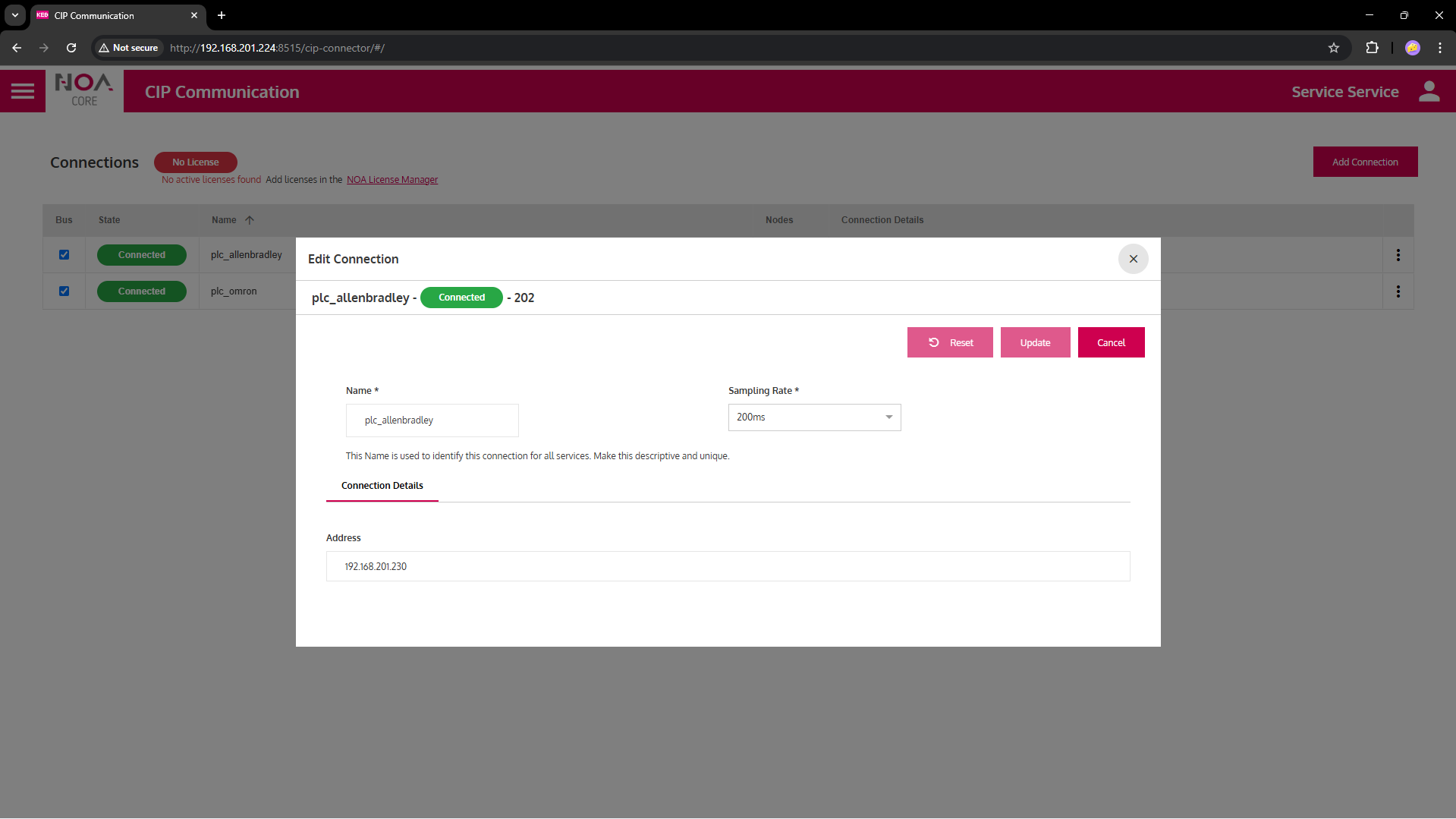
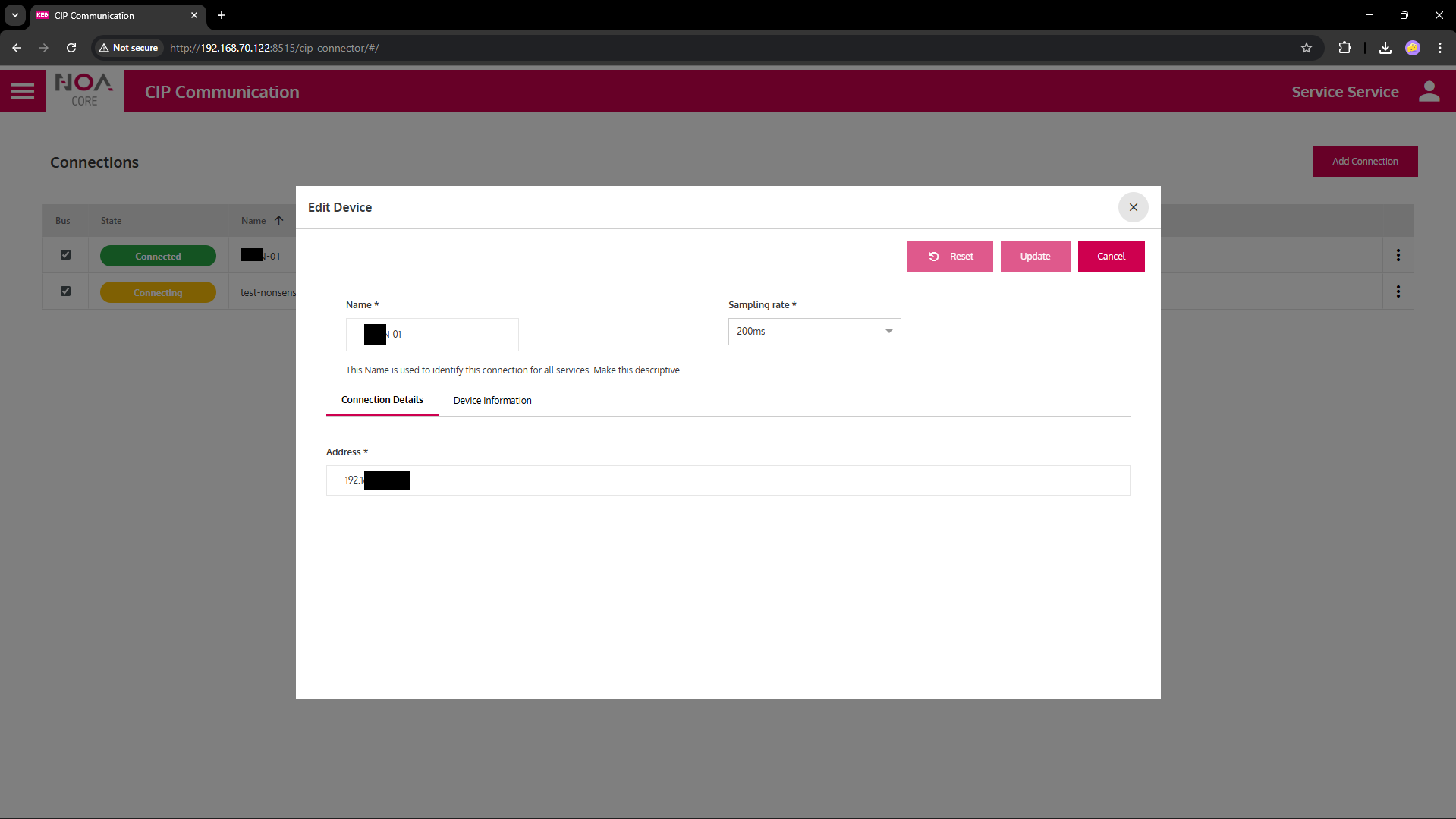
Configure the parameters as below.
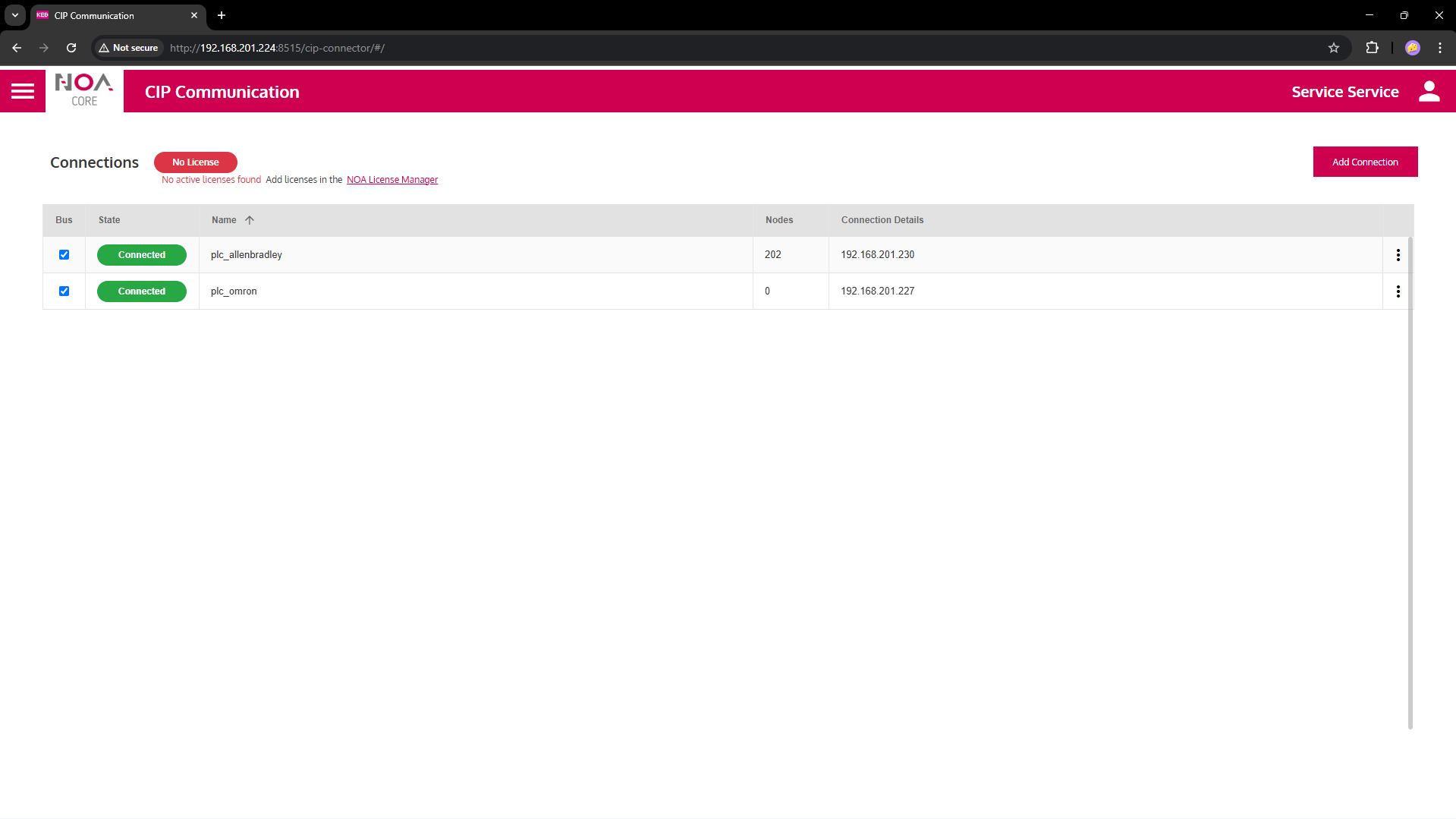
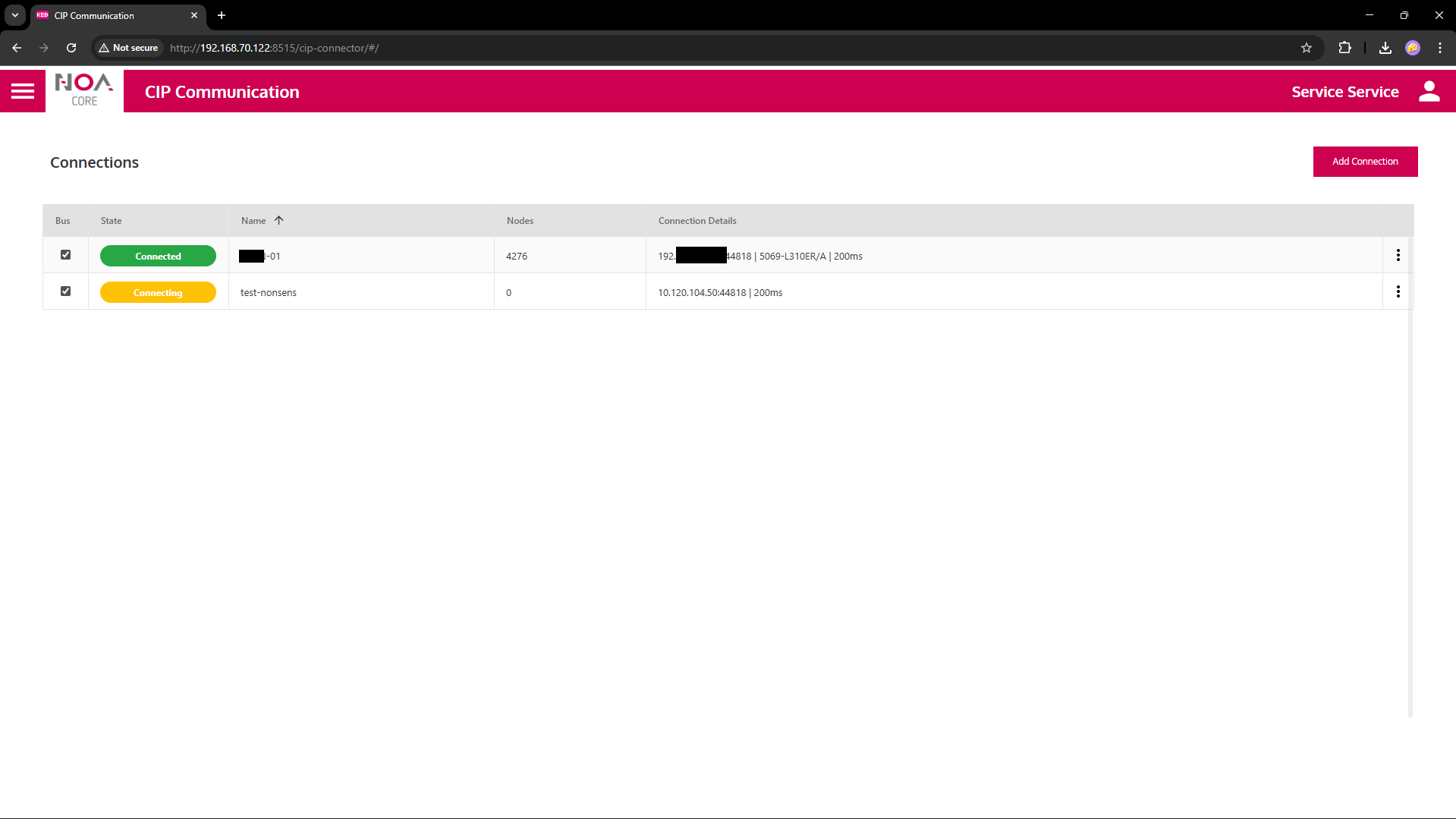
Upon success the service
- Shows the device's ...ip address... name in table
- Shows "Connected" in the green pill in the "State" columne (this pill shows the connection status in general)
- Starts reading the data tree immediately -- if possible; else: import data definitions
Prerequisites
To establish a CIP Communication the following must be available in the local network
- Target Device (controller) with Ethernet/IP access via an IP address
- Enable Ethernet/IP communication on the target PLC (if needed)
- A running PLC Program on the target device
- Data defined and at least one symbol set with read and/or write access
Parameters
see General Settings
| Variable | Data Type | Description |
|---|---|---|
| Address | IP address | IP address of target device (may be localhost or 127.0.0.1 if the gateway runs on the same device) |
| Output values | read-only | |
| Name | String | .... Name as returned on successful connection |
| Connected | Boolean | Reflects the state of the connection: TRUE iff the connection is completely established |
| Connection Status | String | Reflects the detailed state of the connection, shown in the pill in solumn "State" ('Disconnecting', 'Connecting', 'Connected', ...) |
Supported Data
CIP Communication supports read and write operations. Only numhers (an Booleans?) are supported so far.
Example Settings
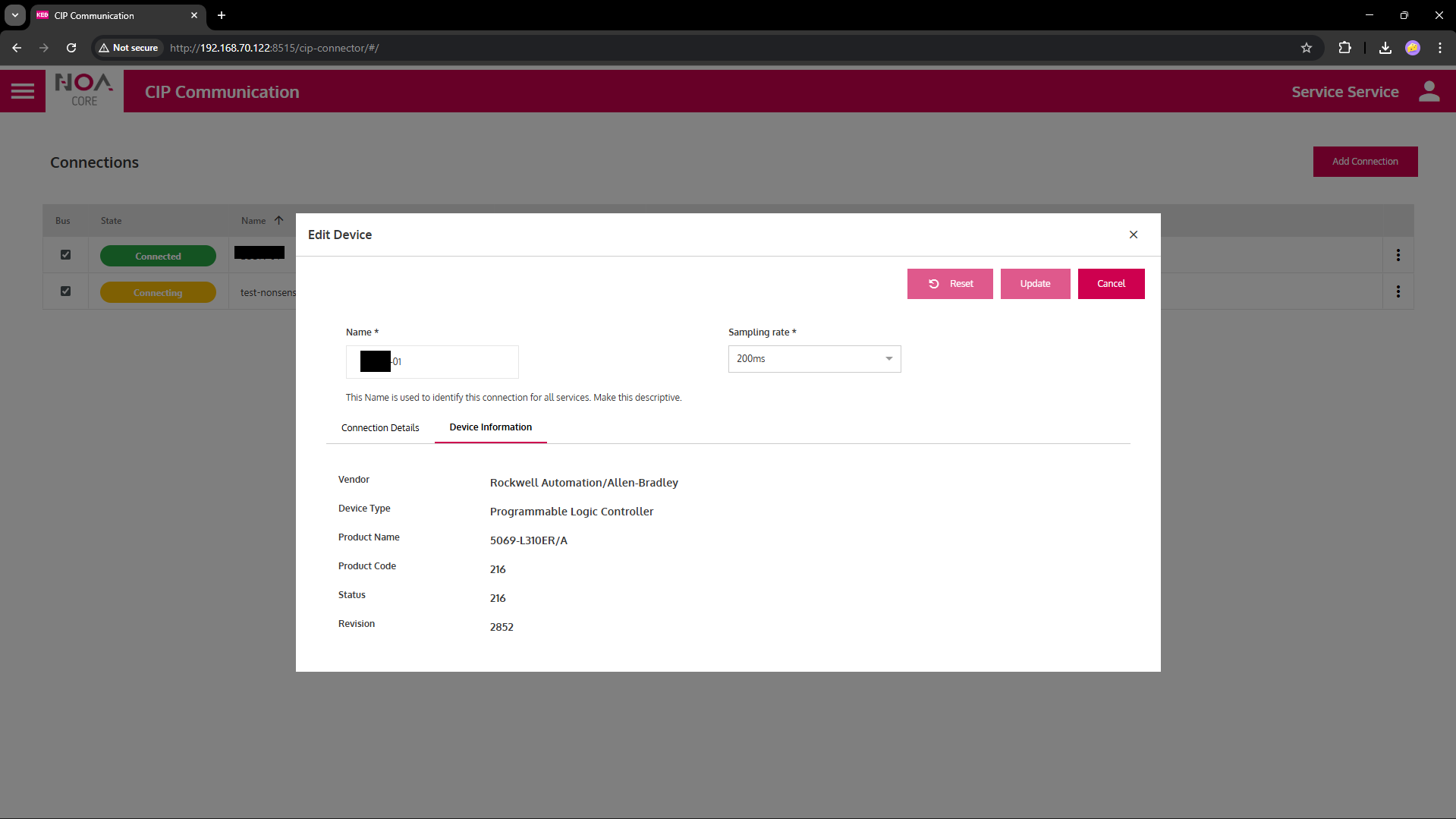
Rockwell and Allen-Bradley
Rockwell and Allen-Bradley provide services to "discover" the available data. Hence the available variables can be discovered using the Ethernet/IP protocol. No symbol import needed (see below for Omron)
Omron
Omron CPUs don't work directly, yet
- The "discover" service is not available, so, "0 Nodes" are reported.
- A proof-of-concept (PoC) communication is available -- this is pre-alpha, no UI available
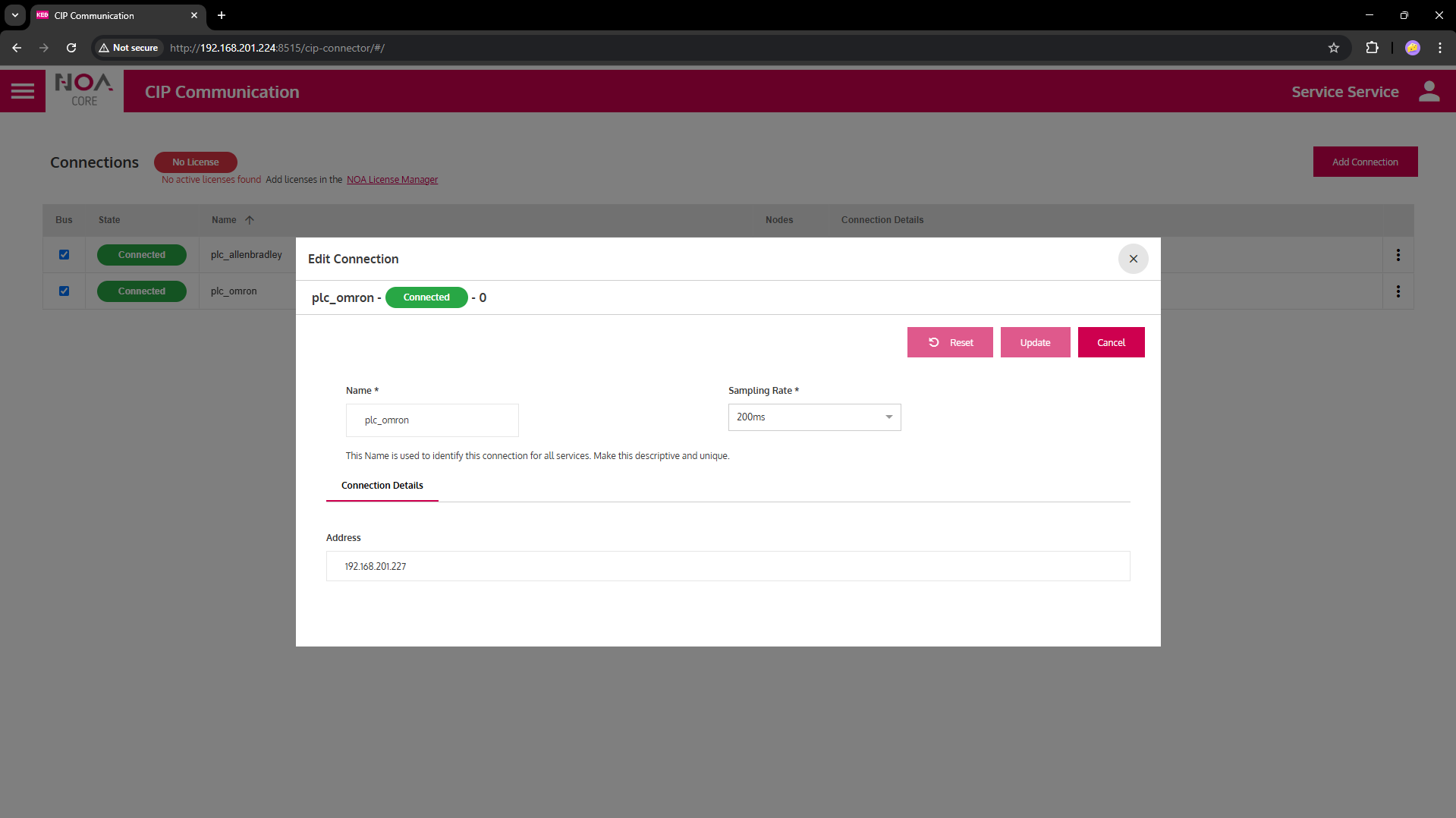
Follow these steps to create a connection to an Omron CPU
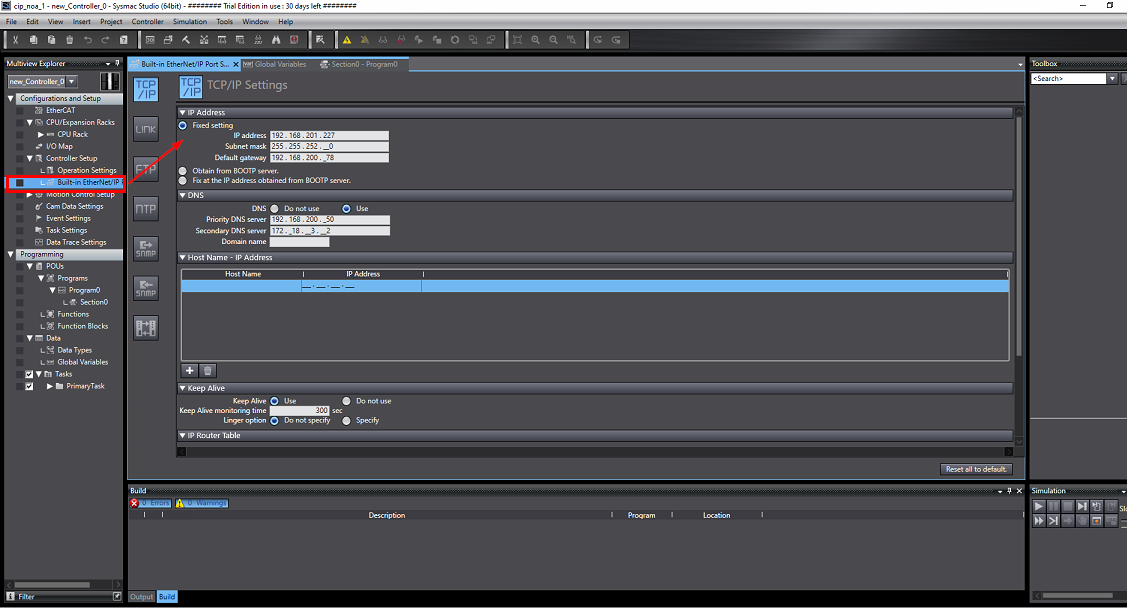
Prepare the Omron CPU
- Enable Ethernet/IP (CIP) in Omron Sysmac Studio
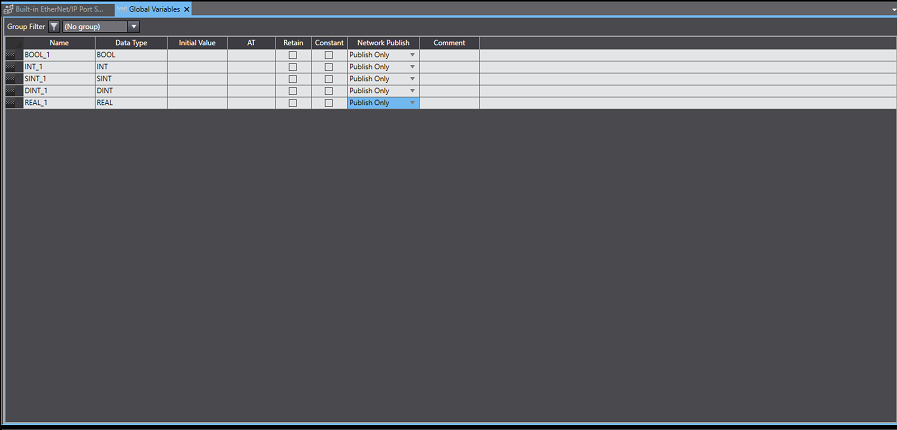
- Define variables and export as CSV from Sysmac Studio: Tools → Export Global Variables → CSV/XML
- Import CSV via API into app
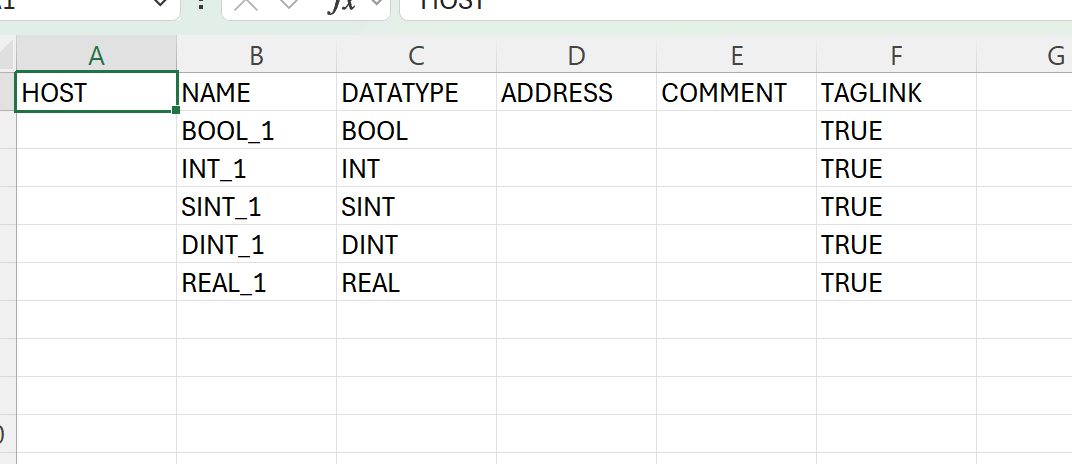
On an Omron NJ301-1200 CPU
- No CIP service for full symbol browsing like Rockwell’s Class 0x6B + Service 0x55.
- Omron’s EtherNet/IP implementation supports:
- ✔️ Explicit messaging to read/write variables by symbolic name (if marked Network Publish in Sysmac Studio).
- ✔️ Tag Data Links (implicit I/O) for cyclic data exchange.
- ✖️ No standard CIP browse for all symbols.
- The PoC uses an export/import (CSV) to know which variables exist
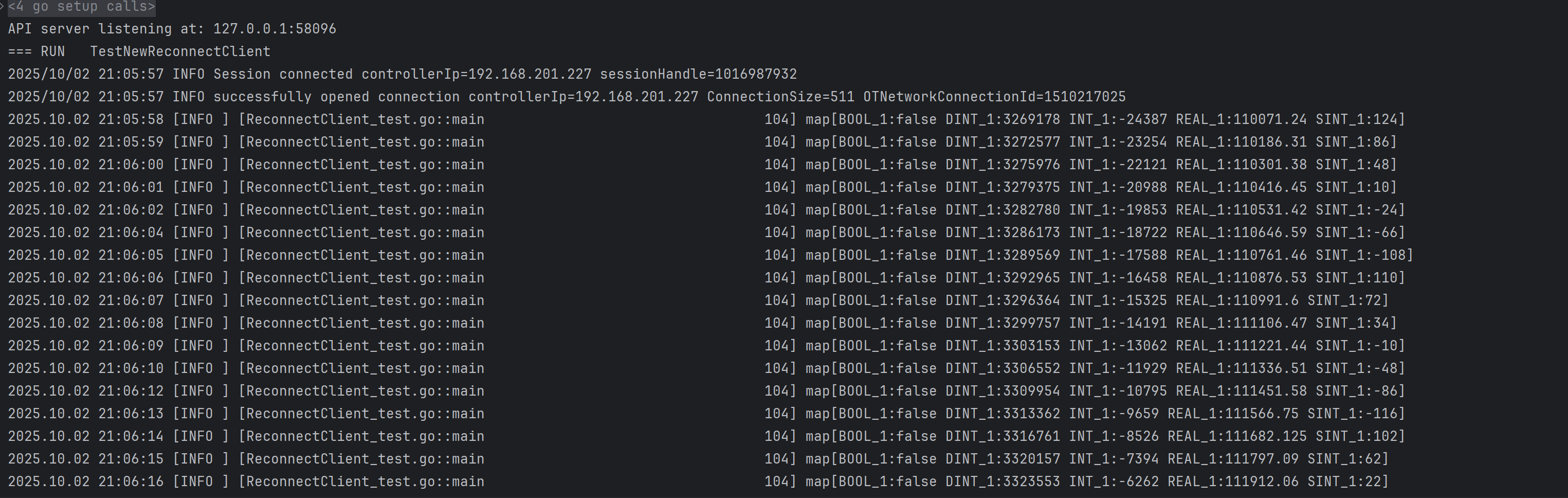
- Then, read/write via EtherNet/IP using symbolic names
Read("VarName")in GenericCIPMessage
Established Connection with Omron Device NJ301-1200 (logs)
2025/10/02 20:30:40 INFO successfully opened connection controllerIp=192.168.201.227 ConnectionSize=511 OTNetworkConnectionId=1744244545
2025.10.02 20:30:43 [INFO ] [ReconnectClient.go::connectClient                               81] EncapProtocolVersion: 1
2025.10.02 20:30:43 [INFO ] [ReconnectClient.go::connectClient                               82] SocketAddress: {2 44818 3232287203 0 0}
2025.10.02 20:30:43 [INFO ] [ReconnectClient.go::connectClient                               83] Vendor: 47
2025.10.02 20:30:44 [INFO ] [ReconnectClient.go::connectClient                               84] DeviceType: 12
2025.10.02 20:30:44 [INFO ] [ReconnectClient.go::connectClient                               85] ProductCode: 1644
2025.10.02 20:30:45 [INFO ] [ReconnectClient.go::connectClient                               86] ProductName: NJ301-1200
2025.10.02 20:30:45 [INFO ] [ReconnectClient.go::connectClient                               87] Revision: 1282
2025.10.02 20:30:45 [INFO ] [ReconnectClient.go::connectClient                               88] Status: 309
2025.10.02 20:30:45 [INFO ] [ReconnectClient.go::connectClient                               89] State: 3
2025.10.02 20:30:45 [INFO ] [ReconnectClient.go::connectInBackground                        110] successful reconnect to address: 192.168.201.227
2025.10.02 20:30:45 [INFO ] [ReconnectClient_test.go::func1                                  20] Client connected
Reading values after CSV import (logs)
Troubleshooting
Known Issues
- Licensing not checked, yet
- Non-existing target stays on "Connecting" status, keeps trying with timeout, may lwad to increased network traffic
Implementation Details
to be removed
Can we check for tag discovery service? inform user and/or enable import?
The CIP Communication relies on services defined in the Ethernet/IP protocol
| Service Class | Hex Code | Commment |
|---|---|---|
| CIPService_Read | 0x4C | GenericCIPMessage |
| CIPService_Write | 0x4D | GenericCIPMessage |
| "Discover" | 0x55, 0x68 | device-specific service |
| Read Map | 0x?? | → clarify |