Add a Device
You can manage your Devices and install Software Updates via NOA Portal. Also, you can transfer data of your machines or Assets
to NOA Portal for Use Cases like Condition Monitoring. First, you need to add the Deviceto your Tenant. For further information visit the Add Device
page in the CLOUD section.
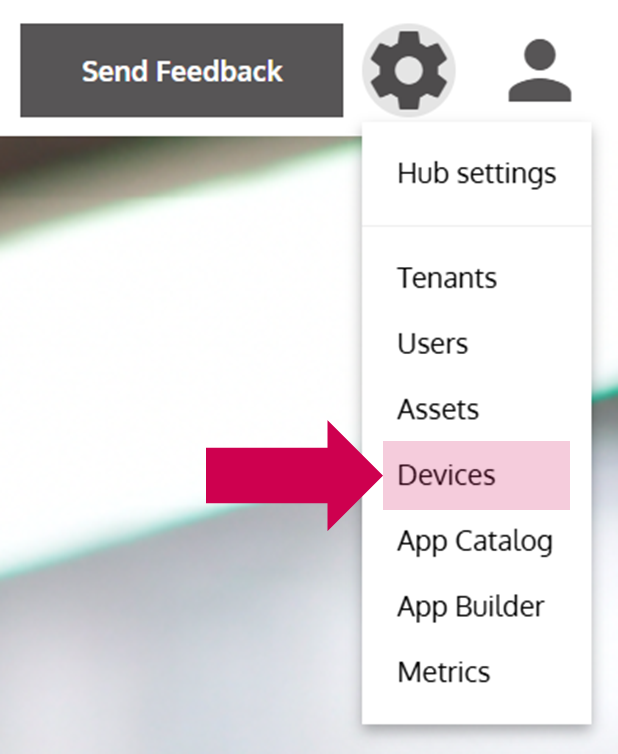
- Open the Device Management
… via the Options Menu by clicking on Devices.
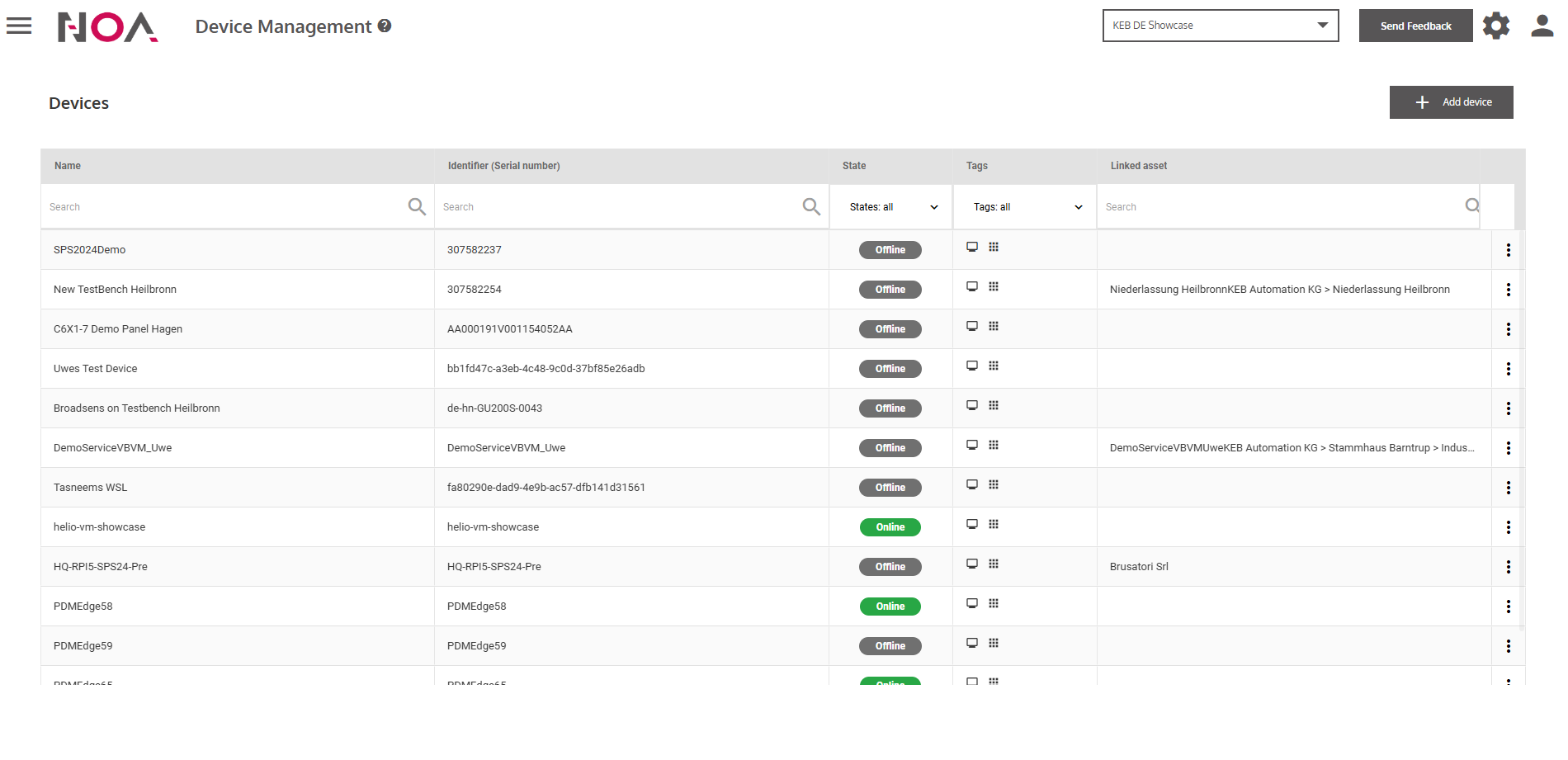
- Click on Add device
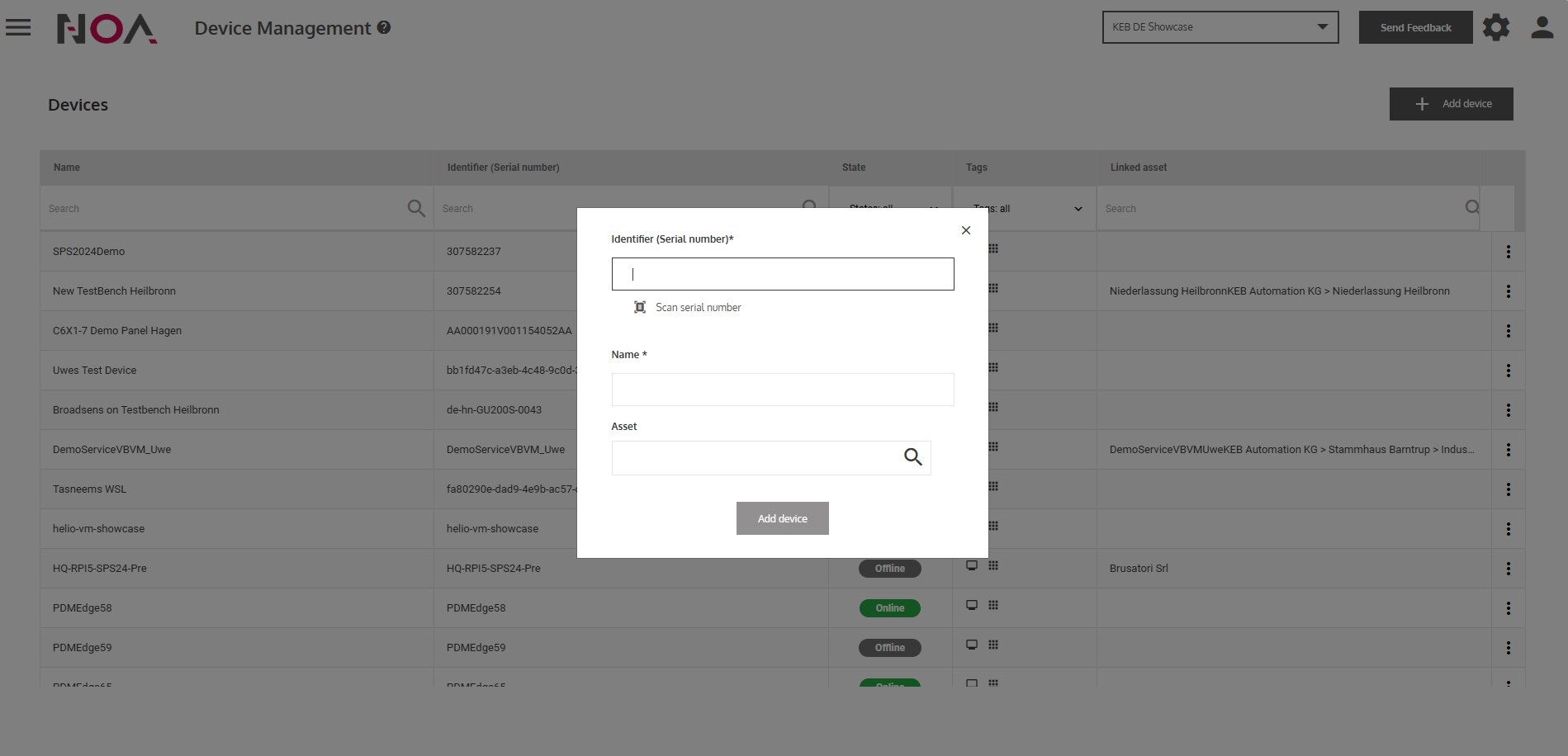
- Enter Device information
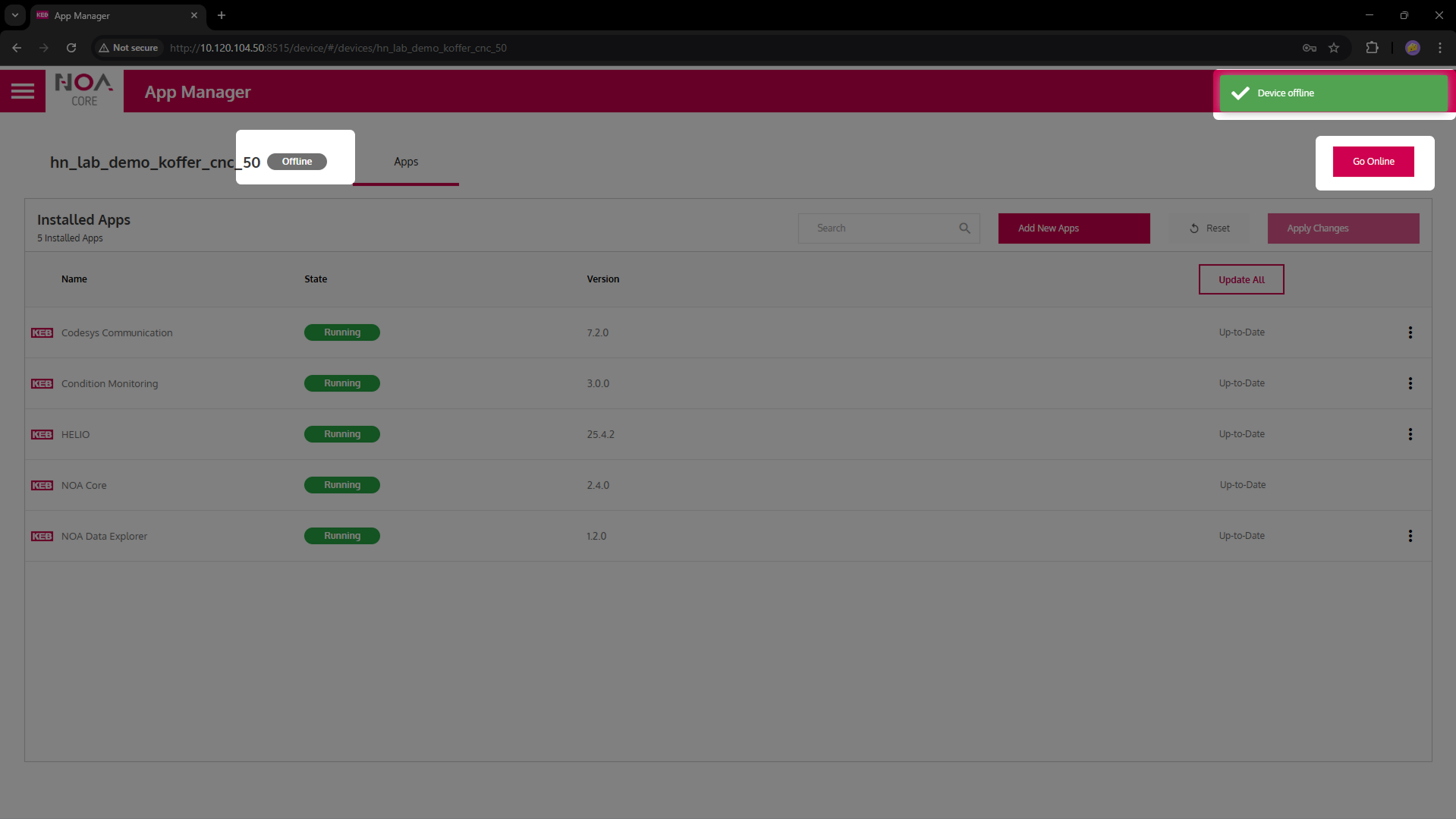
- Your Device needs to enter Pairing Mode
- Click on Add device
… in the dialog window. Afterwards your Device appears in the Device Table.